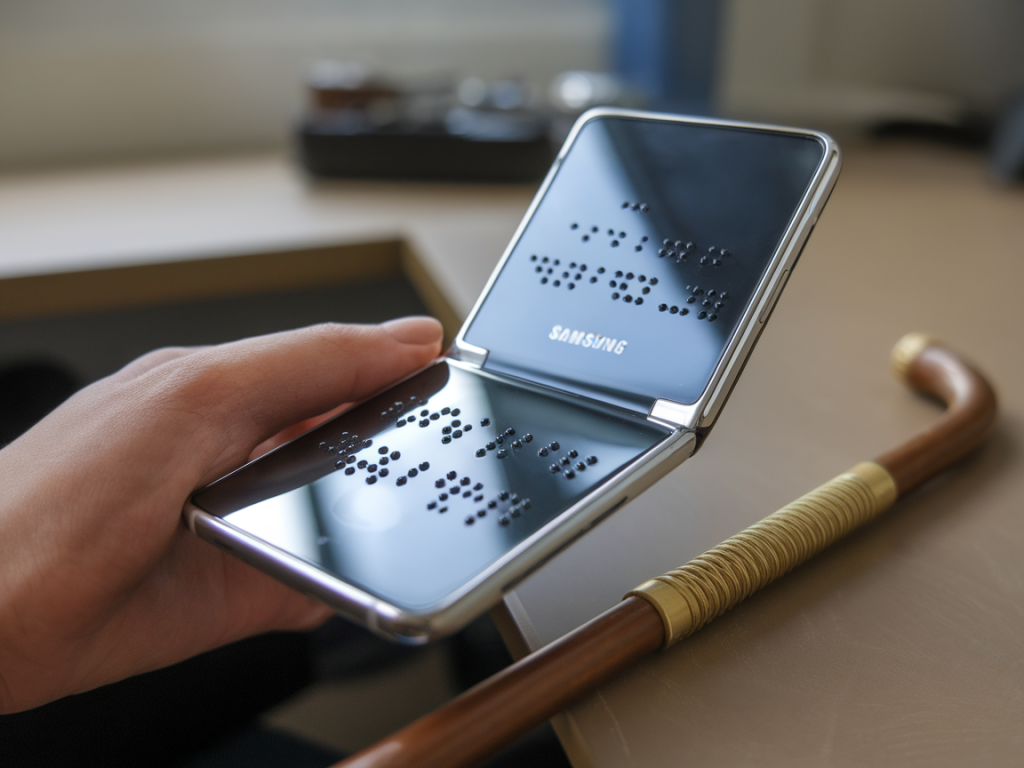
I spent the week testing Samsung’s latest foldable handset, and what struck me most wasn’t just the novelty of a screen that bends — it was the way that bendable hardware forces us to rethink accessibility for blind and low‑vision users. Foldables are being sold as lifestyle and productivity devices, but they also open new possibilities and new challenges for people who rely on assistive technologies. I want to walk you through what I noticed, what could make a real difference, and what still needs work.
Why the form factor matters for accessibility
Most accessibility conversations focus on software: screen readers, magnifiers, high contrast modes. Those things remain essential. But hardware changes the game. When a device can switch between a compact phone and a tablet-sized display, you get different trade‑offs for sighted and non‑sighted interactions.
- More screen real estate when unfolded — that’s huge for magnification, large text, and apps that benefit from space. For people with low vision, an unfolded foldable can render a single app at very large size without losing context.
- Compact size when closed — that benefits people who prefer a smaller, single‑hand device. Blind users who navigate by touch might like a smaller footprint for one‑handed gestures with TalkBack or Samsung Voice Assistant.
- Physical hinge and angles — the hinge allows “laptop” or “tent” modes which can be useful for hands‑free tasks like screen reader output or audio-based workflows. But hinges also introduce new failure modes: moving parts can be less reliable, and gaps or seams can create awkward tactile edges.
What’s already helping blind and low‑vision users
Samsung has made meaningful accessibility progress over the last few years. On the latest foldable I tested, several software and hardware features stood out:
- Improved screen reader integration — Samsung’s One UI continues to refine its TalkBack integration (Google’s TalkBack is widely used on Android), and the transitions between folded and unfolded modes were surprisingly smooth; the screen reader kept focus correctly in the vast majority of cases.
- Resizing without breaking interfaces — many Android apps still struggle with large-form-factor layouts, but common apps (Gmail, WhatsApp, Chrome) handled the switch well, which matters when you increase text size dramatically for low‑vision reading.
- Hardware buttons and tactile markers — the placement of power and volume buttons, and the physical response of the hinge, provided consistent landmarks that help orientation when you can’t rely on sight.
- Camera-based tools — Samsung’s built‑in camera features (Live Translate, Scene Optimizer) are getting smarter. When paired with apps that do OCR or object recognition, a foldable’s larger screen gives clearer feedback and allows faster navigation of recognized text or labels.
Where foldables can uniquely improve accessibility
Here are several concrete ways the foldable form factor can change daily experiences for blind and low‑vision users:
- Large single‑app views for magnification — unfolding turns the device into a compact tablet where magnified content doesn’t require horizontal scrolling as much; text and controls can be scaled up while staying visible and navigable.
- Split multimodal workflows — unfold to run an OCR app on the left and a screen reader output on the right, or have a magnified camera feed on one pane and controls on the other. Split view can reduce context switching.
- Hands‑free orientation — tent or laptop modes can position the phone at a usable angle for audio tasks and video calls, useful for remote human assistance where the person on the other end reads or describes visual elements.
- Enhanced tactile feedback design — manufacturers could add tactile ridges or distinct textures to the hinge or back plate to help blind users know whether the device is folded, partially open, or fully open by touch.
Real problems I encountered
Not everything is rosy. Foldable devices introduce new accessibility challenges that demand attention from Samsung and app developers:
- App compatibility inconsistencies — smaller third‑party apps sometimes place controls off‑screen when text is enlarged, or they reflow in ways that confuse screen reader focus. That’s not unique to foldables, but the multiple display states make it worse.
- Hinge and seam confusion — the transition zone can confuse touch gestures if the UI doesn’t account for it. I saw a few cases where gestures were detected incorrectly near the fold.
- Cost and repairability — premium price points and delicate displays limit access. If a device is expensive or hard to service, communities that depend on durable, long‑lasting tech are disadvantaged.
- Training and discoverability — new modes like Flex Mode require discovery. If assistive settings aren’t clearly explained in plain audio instructions, users may never learn to use helpful features.
Questions people ask — and my answers
People often ask specific, practical questions. Here are the ones I heard most and what I found.
- Will the screen reader work when I fold or unfold the phone? — Generally yes. TalkBack maintained focus and read out elements correctly in most transitions in my tests, but some apps lost focus or required a second swipe. Samsung’s continuity between states is better than earlier foldables, but app developers must test multiple layouts.
- Is a foldable worth the extra cost for blind users? — It depends. If you rely heavily on magnification and need screen real estate, a foldable feels like a small tablet in your pocket. But the premium price and potential fragility mean it’s not the right choice for everyone.
- Can foldables replace dedicated assistive devices like braille displays? — Not entirely. A foldable can complement a braille display (Bluetooth pairing works well), but it won’t replace hardware that provides tactile braille output. That said, integrated haptics and larger displays make reading and editing text easier for many low‑vision users.
- Are there specific apps to try? — I recommend testing OCR apps like Microsoft Office Lens and Google Lookout, screen reader–friendly apps like Gmail and WhatsApp, and Samsung’s own accessibility suite. Try split‑screen combinations to see what fits your workflow.
What manufacturers and developers should do next
If Samsung and its ecosystem want to make foldables genuinely inclusive, they should prioritize a few things:
- Document accessibility states explicitly — provide audio cues and developer guidelines for folded, half‑open, and fully open states so apps adapt smoothly.
- Enhance tactile cues — a subtle rim, notch, or texture around the hinge and key zones would help blind users understand device posture by touch.
- Invest in affordable versions — lower‑cost foldable variants or trade‑in programs would broaden access to communities who can’t pay premium prices.
- Partner with accessibility organizations — co‑design with blindness charities and user groups to iterate on both hardware and software accessibility testing.
Practical tips for users and carers
If you or someone you know is considering a Samsung foldable, here are a few practical steps to get the most out of it:
- Try before you buy — check how your most‑used apps behave in both folded and unfolded states at a local store or with a friend’s device.
- Customize magnification scales and font sizes — set these up in Settings > Accessibility before you start transferring data.
- Save tactile markers — add a small tactile sticker or bump near a corner to help with orientation if the hardware lacks clear tactile cues.
- Pair with assistive peripherals — test your braille display, Bluetooth keyboard, and hearing aids at home to ensure seamless connectivity.
| Folded | Unfolded |
| Compact, easier one‑hand gestures | Large canvas for magnified text and multi‑pane apps |
| Better pocketability, physical landmarks | Improved layout for OCR, reading, and split workflows |
| Some apps may compress UI | Some apps may not scale well — requires testing |
Foldable phones aren’t a magic bullet for accessibility, but they represent a meaningful new avenue. With thoughtful design, clearer developer guidance, and closer collaboration with users who are blind or have low vision, these devices could become powerful tools — not just for novelty users, but for people who need more screen, better context, and smarter multimodal ways to interact with a digital world.