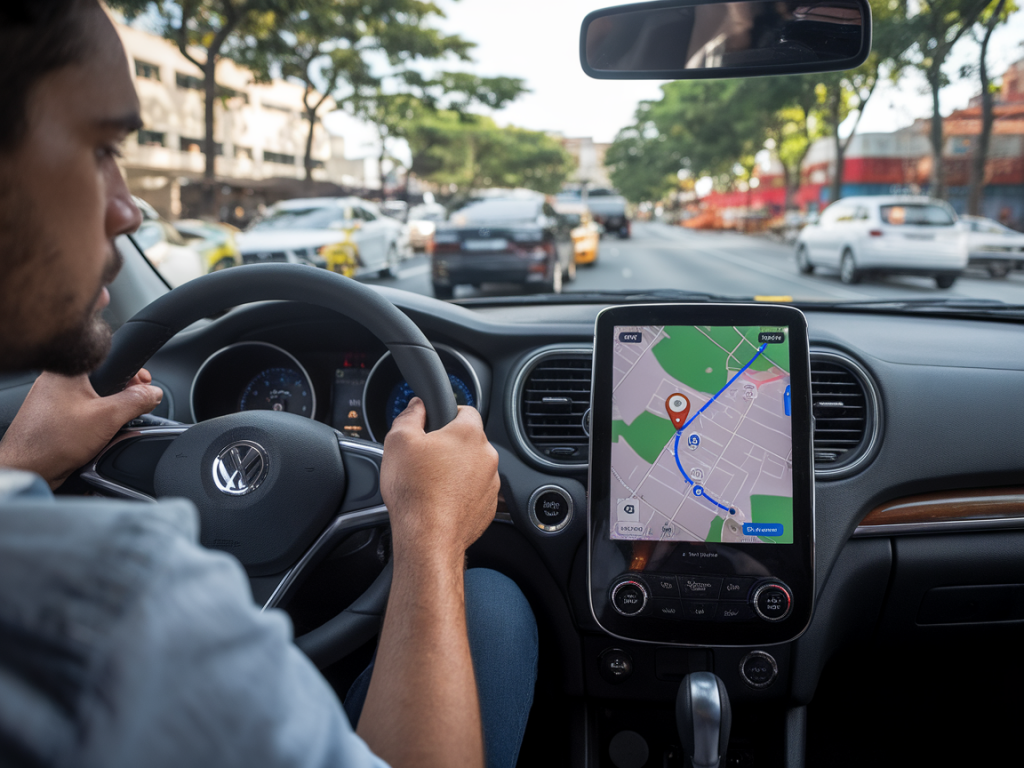
I take the subway into central London most mornings, and for years I've treated that hour as a wedge of time carved out of the day — a place for reading, answering emails, or just letting my brain warm up. Lately, though, Apple’s recent push into on-device AI, spatial computing, and deeper integration across iPhone, iPad, Mac and Vision Pro hardware has made me wonder: could my iPhone realistically replace the daily commute? Could the trip that used to be about movement become a commute-less routine powered by an Apple ecosystem of AI features?
What Apple actually announced — and why it matters
When people talk about “Apple’s AI features,” they usually mean the Apple Intelligence suite and the way Apple is baking machine learning into everyday tasks. That includes faster, smarter Siri interactions, on-device language models for text generation and summarization, Live Voicemail, more capable dictation and transcription, improved Mail and Notes assistance, and stronger continuity between devices. There’s also the Vision Pro, which introduces a spatial computing layer that could reshape virtual meetings and workspaces.
Why does that matter for commuting? Because a commute serves several functions beyond getting to the office: focus time, passive learning, meetings, and even informal social interactions. If your phone can replicate those functions — give you a focused workspace, run meetings in convincing spatial environments, summarize your day and follow up automatically — then the argument that you can replace physically going somewhere grows stronger.
How the iPhone can replace parts of the commute today
Here are concrete ways Apple's current features start to substitute for a commuting ritual:
Focus and attention via customizable workflows. With on-device AI, the iPhone can summarize news, read long articles aloud, and surface the most important emails. That turns a 30–60 minute commute into a curated block of productive time rather than passive scrolling.Meeting-ready tools. Apple’s improved FaceTime, SharePlay, and Live Captions mean joining or running meetings from your iPhone is smoother. Add in automatic transcription and follow-up note generation and you cut down the friction of remote collaboration.Mobile-first productivity. Apps now leverage on-device intelligence to generate drafts, outline stories, and propose next steps. For journalists or knowledge workers — like me — that means rough drafts and interviews can be done and shaped while you ride.Spatial glimpses via Vision Pro (when paired). If you own a Vision Pro or similar headset, your iPhone can act as a bridge to spatial workspaces: larger virtual screens, multiple app windows, and immersive meeting rooms. That starts to replace the “drop-in” experience of office collaboration.What the iPhone can’t (yet) replace
Even with rapid AI integration, there are important limits:
The social friction of serendipity. Corridor conversations, water-cooler banter, and impromptu brainstorming don’t translate easily to scheduled video calls or AI-generated summaries. Those moments often seed creativity in ways that planned interactions don’t.Infrastructure and ergonomics. An iPhone screen and earbuds are great for short bursts, not full workdays. While iPads, Macs, and Vision Pro can supplement, the average person doesn’t always have a complete ecosystem available on demand.Security and privacy trade-offs. Apple’s on-device approach emphasizes privacy, but organizations still worry about compliance, data residency, and the security of BYOD (bring your own device) workflows. Not every workplace will allow all work to shift to personal phones.Industry and role constraints. Many jobs require physical presence: labs, manufacturing, in-person healthcare, retail. For those roles, an iPhone can augment but not replace the commute.How AI features change the nature of remote work — not just the location
Where Apple’s AI really changes the game is in the quality of remote work. It’s not about teleporting you to the office; it’s about making remote work more effective and less lonely:
More human video calls. Improved background handling, spatial audio, and contextual shared content make remote meetings feel less like a grid of faces and more like a conversation with context.Automated follow-through. If your phone can transcribe a meeting, extract action items, and nudge collaborators with suggested next steps, you get more out of each session. That reduces the need for in-person check-ins.Personalized learning on the go. AI can summarize industry reports, read aloud long-form stories, or teach skills in micro-lessons, turning a commute into a curated learning hour without human coaching.Practical scenarios where I’d skip my commute
Thinking concretely helps. Here are scenarios where I’d personally consider replacing a commute with an iPhone-based routine:
Research and drafting days. If I’m writing a feature or pulling together analysis, a morning on the train listening to summarized briefings, dictating notes, and patching together an outline on my iPad (with on-device AI assisting) feels perfectly adequate.Back-to-back remote meetings. When collaboration is already digital and meetings are scheduled, joining from a quiet home setup with good audio and automatic transcripts is often better than commuting in.Interview prep and follow-up. Using the phone to record interviews, get near-instant transcriptions, and generate summaries saves time and removes the need for office-based editing sessions.Risks to watch — and what companies should solve
For the iPhone to be a real commute replacement at scale, several ecosystem and policy issues must be addressed:
Equitable access to hardware. Not everyone can afford an iPhone + iPad + Vision Pro combo. Companies should avoid creating two-tier remote setups where only those with the latest gear get flexibility.Hybrid culture design. Managers must design hybrid policies that preserve the benefits of in-person collaboration while recognizing the productivity gains from remote tools.Interoperability and standards. Seamless handoffs between devices and consistent meeting tools matter. Apple’s closed ecosystem is great if you’re inside it, but many workplaces use mixed platforms (Microsoft, Google) and need cross-compatibility.Burnout and boundaries. If commuting time disappears, people risk losing the natural buffer between work and home. Companies and individuals need rituals and device settings that recreate those boundaries.Practical tips if you want to experiment
If you’re curious to test whether your iPhone can replace your commute for parts of the week, try these steps:
Create a “commute routine” playlist of tasks. Curate 3–4 items to accomplish during your former commute: read a briefing, listen to a podcast, transcribe notes, draft an outline.Use on-device summaries. Try Apple’s Mail and Notes suggestions or third-party summarizers that run locally to get faster context without opening dozens of apps.Invest in ergonomics. A portable stand, Bluetooth earbuds with good mics, and a decent hotspot can turn any café or park bench into a functional workspace.Block a buffer at the start and end of the day. Recreate the commute’s role by scheduling 15–30 minutes to transition mentally — use it to meditate, read, or plan the day.The reality is nuanced: for many knowledge workers, Apple’s AI features substantially reduce the need to be physically present every day. For others, the commute still solves problems that tech can’t yet mimic. I’m experimenting with fewer office days, using my iPhone and an iPad for writing and meetings, and saving in-person time for deep collaboration. If you try the same, pay attention to what you gain — and what you miss.